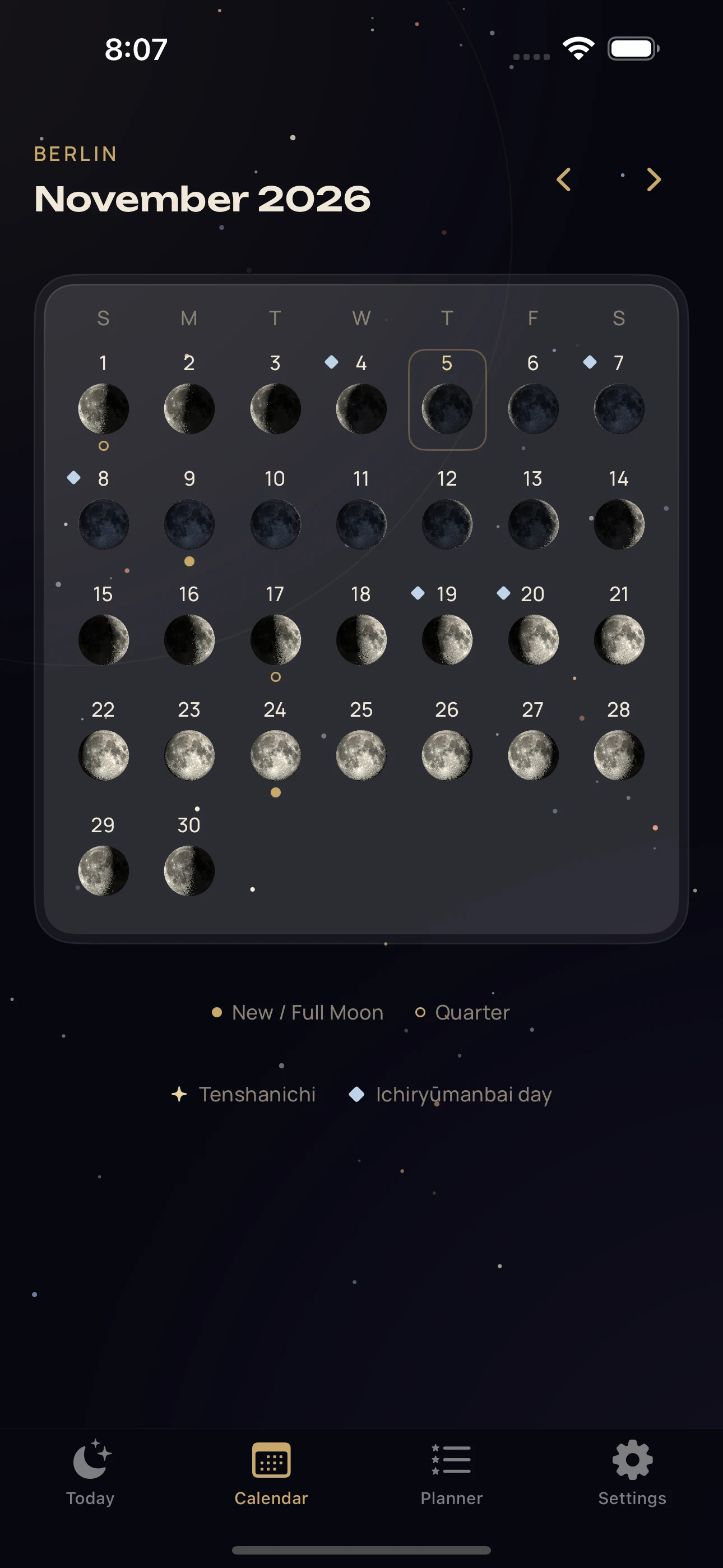
01Your lunar calendar
See the month in a new light.
New moons, full moons and every phase between them. Open a day for lunar details and the times that belong to your selected city.
Phase · Illumination · Moonrise and moonset
A moon calendar for iPhone
Follow its phases. Find your rhythm. Make room for a little wonder in your everyday.
A detailed lunar calendar, a thoughtful planner and a Moon you can explore. Together in one quiet corner of your iPhone.
Coming to the App Store
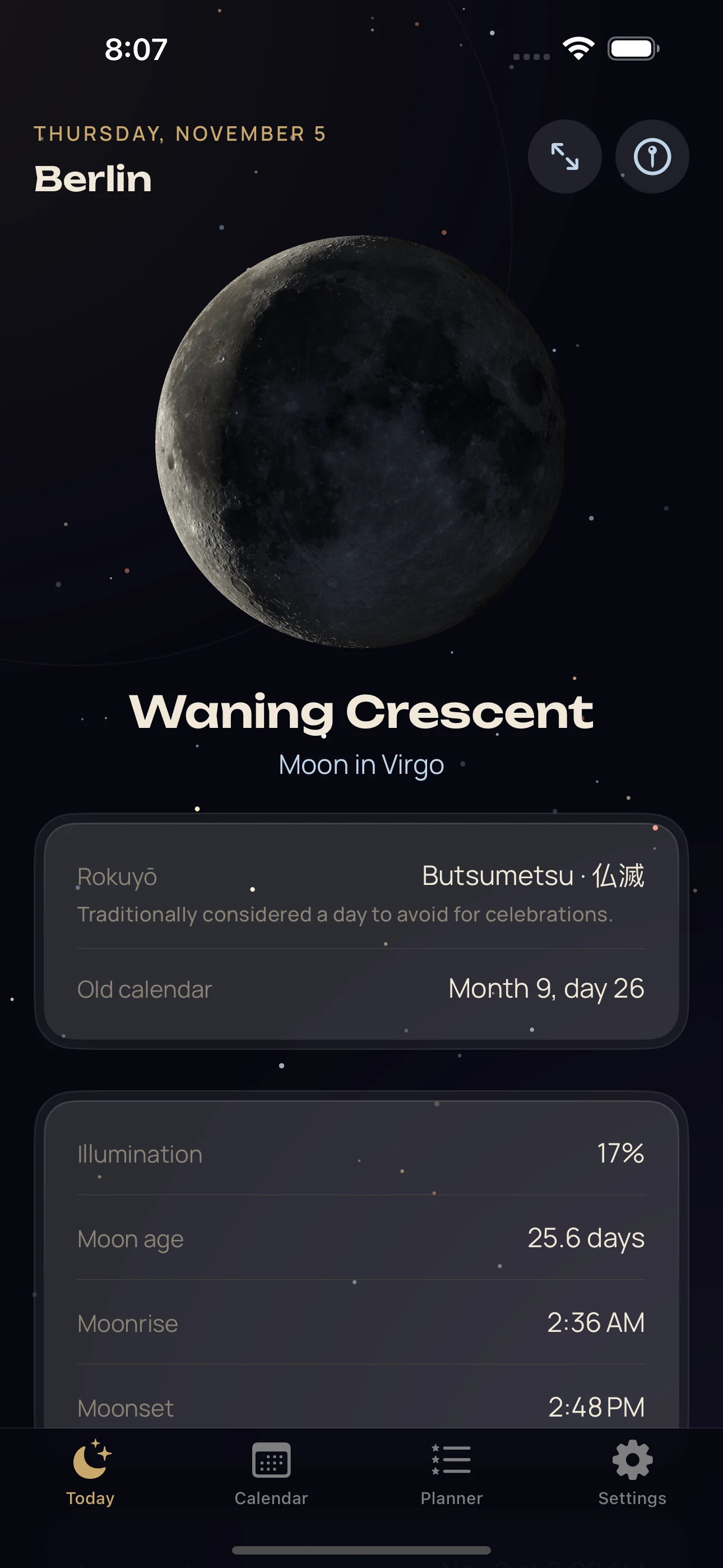
A little more in every day
From a quick glance at tonight’s phase to a slower look at the month ahead. Choose how deep you want to go.
01Your lunar calendar
New moons, full moons and every phase between them. Open a day for lunar details and the times that belong to your selected city.
Phase · Illumination · Moonrise and moonset
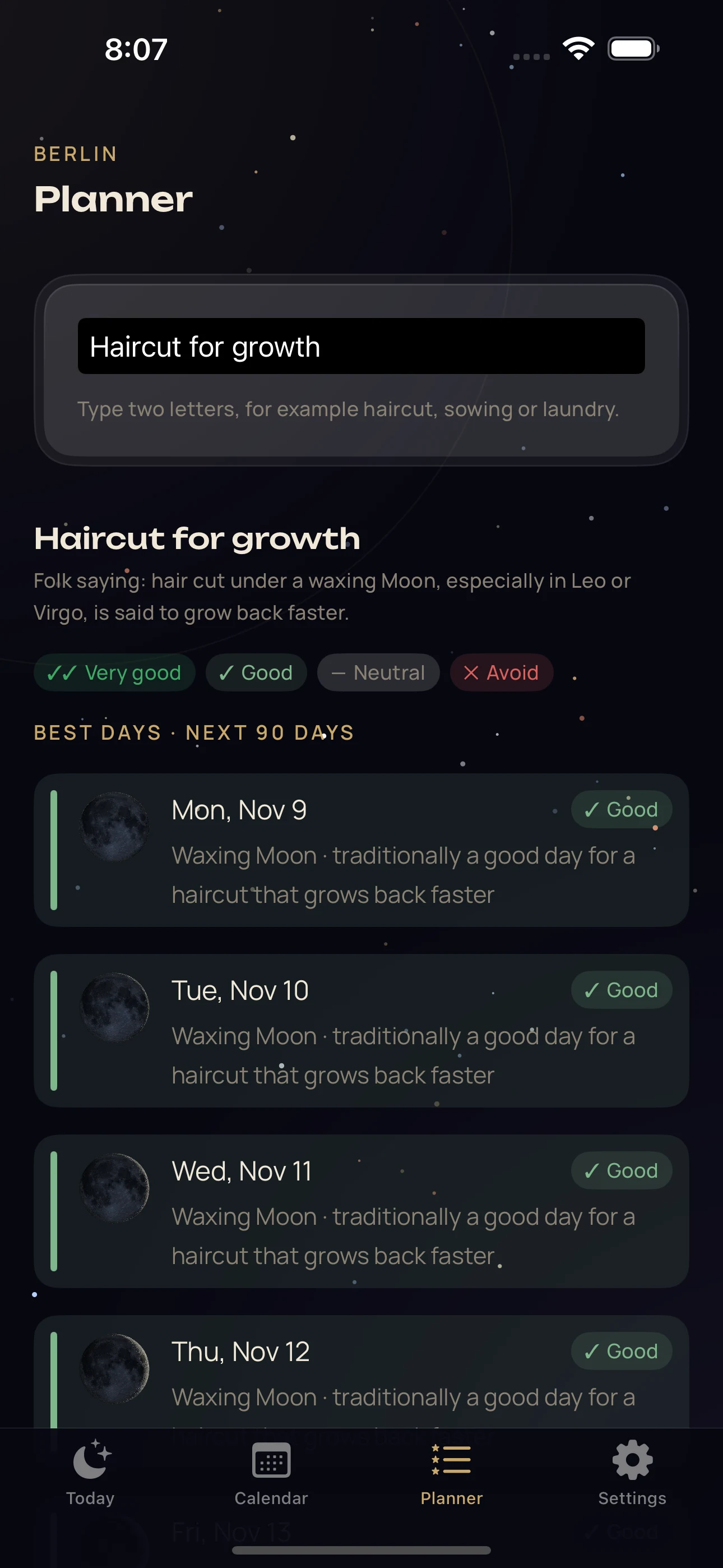
02A thoughtful planner
From tending plants to caring for your home, explore dates through the lens of lunar traditions. Each suggestion explains the factors behind it.
Browse activities · Compare dates · Read the reasons
Planning suggestions reflect cultural traditions. They do not establish scientific effects or guarantee results.
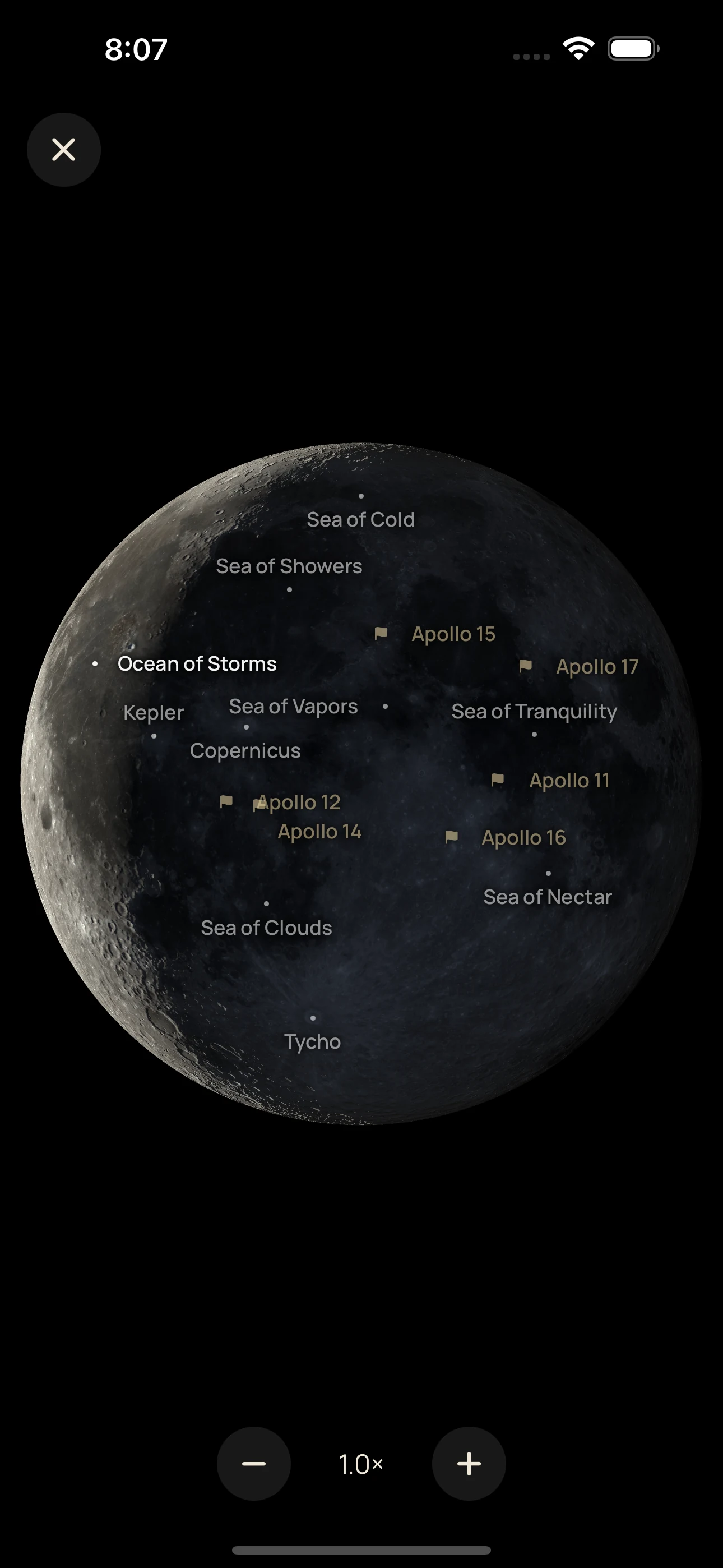
03Your pocket lunar atlas
Zoom into the Moon’s textured surface. Discover named craters and lunar seas, and explore the places where Apollo missions landed.
Detailed lunar surface · Named features · Apollo sites
App preview. Screens show a sample date and city.
Keep the lunar phase close with Home Screen and Lock Screen widgets.
Explore the Japanese calendar with old calendar dates, rokuyō and Japanese public holidays.
English, Deutsch or 日本語. Choose your language in the app and change it whenever you like.
Make it yours
Set your language and city. No account, birth details or location permission required.
Start with today’s Moon or open a date in the calendar to explore its details.
Look for an activity in the planner, explore the lunar atlas or add a widget.
Made with care
Lunar positions and phases are calculated on your device. The calendar remains available without a connection.
The planner presents traditional interpretations alongside their reasons. Your choices and your judgement come first.
No account, advertising trackers or analytics SDKs. City search uses Apple’s geocoding service when you ask for it.
Good to know
Moonplan is being prepared for the App Store. This website shows the current app. A download link will appear here when the public release is available.
Moonplan is designed for iPhone with iOS 17 or later. The app and this website are available in English, German and Japanese.
No. Choose a city yourself, or keep the default city. Moonplan does not request your device’s location or ask you to create an account.
Yes, lunar calculations, the calendar and the planner run on your device. Looking up a new city requires an internet connection to Apple’s geocoding service.
They use traditional interpretations of lunar phases and other calendar factors. These cultural traditions are not scientifically established effects, professional advice or promises about an outcome.
Yes. The optional Japanese calendar includes old calendar dates, rokuyō and Japanese public holidays. It is enabled automatically when you choose Japanese in the app.
Planner searches are processed on your device and are not sent to us. City searches are different: the text you enter is sent to Apple so it can find that city.
Email admin@aurelialabs.io. Include your iOS version, the app version and a short description of what happened. Please leave out sensitive personal information.
Meet your new daily ritual
Your calendar. Your curiosity. A quieter way to look ahead.
Explore MoonplanComing to the App Store